
Developers
seen is a remote MCP server and a REST API. Connect any agent, no app to install.
MCP endpoint
Add seen to any MCP client (Claude, Cursor, Codex…). Streamable HTTP:
claude mcp add --transport http seendb \
  https://api.seendb.ai/mcp \
  --header "Authorization: Bearer sk_seen_…"
Your agent can then search, read and reorganize your library. Free connects over MCP; the REST API key is Pro and up.
Connect in ChatGPT
Custom connectors are only available with ChatGPT's Developer Mode turned on, and our official connector listing is still in review - until then, add seen manually:
- In ChatGPT, go to Settings → Apps & Connectors → Advanced settings and turn on Developer mode.
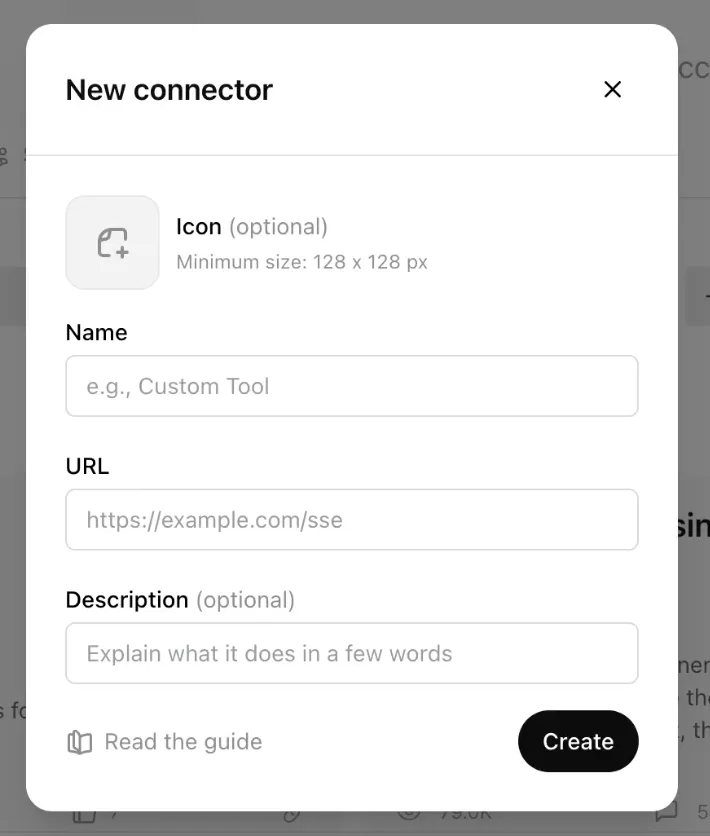
- Back in Connectors, press + to add a new one.
- Name it exactly seendb (lowercase), paste https://api.seendb.ai/mcp as the URL, and click Create.
REST API
Base URL https://api.seendb.ai, bearer auth with your sk_seen_ key.
curl https://api.seendb.ai/api/videos \
  -H "Authorization: Bearer sk_seen_…"
Key endpoints: GET /api/videos, POST /api/search, GET /api/videos/{id}/transcript, POST /api/imports/url. Available on Pro & Team.
Docs
Full reference docs are on the way. In the meantime the MCP tools are self-describing inside your client, and the endpoints above cover most of the surface. Questions → hello@seendb.ai.
Status
All systems operational. A public status page is coming; until then we post incidents to hello@seendb.ai subscribers.